AMZ Guard · Operational monitoring
A missing check is a dashboard state
How AMZ Guard separates stale evidence, recorded business findings, and incomplete Amazon store checks so the right team can follow up.
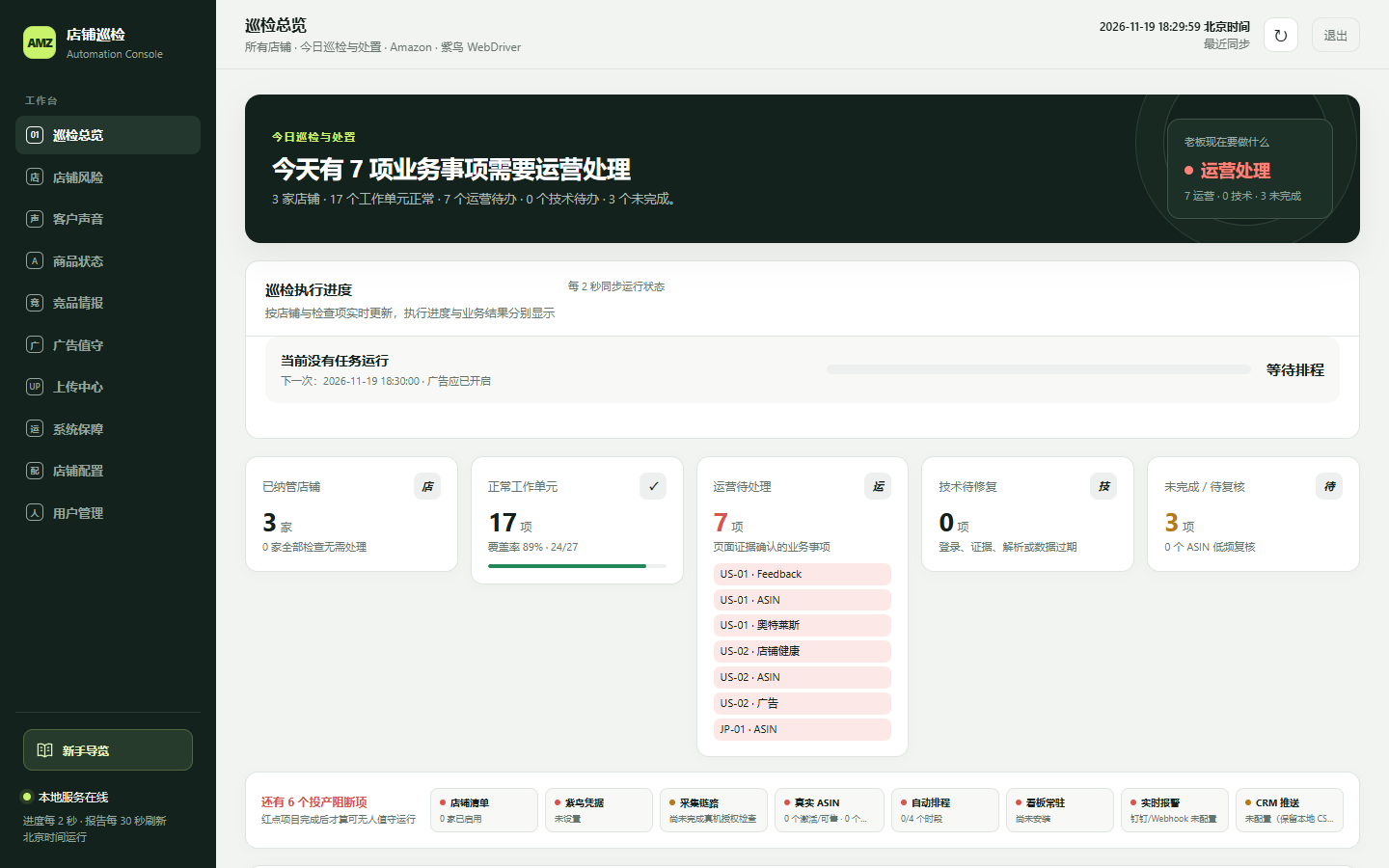
Classify the evidence before routing the issue
An Amazon store monitoring dashboard serves operators and the people maintaining its collection pipeline. A warning based on current evidence needs a different response from a failed inspection. AMZ Guard preserves the collector’s source severity and computes a separate dashboard state for the team that can follow up.
The order in actionStateFor() matters. Stale data takes precedence and falls into the collection category. A fresh warning or critical business result goes to operations. Collection errors and missing configuration go to technical follow-up. A successful result clears the check, and remaining unfamiliar or pending inputs stay incomplete. See the status mapping at the reviewed revision.
- Clear
- The available evidence records a successful check.
- Business issue
- A reported finding needs an operations follow-up.
- Collection issue
- Evidence is stale or collection needs technical attention.
- Incomplete
- The current inspection has no final result for this cell.
Separate completed work from a healthy result
The dashboard has a progress view and a report view. Progress answers how much of a run has finished. The report answers what the completed checks found. A test with two stores and two checks makes the difference concrete. When one store’s first check completes with a critical result, execution advances to 25 percent. The other active store remains in progress and the unrelated check remains queued.
Product checks expose another counting problem. A store can have a different number of products to inspect, and a retried product event should only advance its counter once. The tests verify that progress tracks the planned units and that a repeated completion leaves the count unchanged. The progress tests cover both cases.
Read a rollup alongside its individual states
AMZ Guard’s rollup prioritizes a business issue above a collection issue, then shows incomplete ahead of clear. An empty set stays pending. A single top-level state makes triage faster, while the underlying view preserves the other cells that still require follow-up. Review the rollup function.
Trace the critical result in the test
Start with four planned units across two stores and two checks. Complete one unit with a critical business finding. Expect execution to show one quarter complete and the report to retain the critical severity. The other store should still be active and the second check should still be queued.
Review the dashboard with deterministic fixtures
The portfolio screenshot uses the project’s local fixture generator. It exercises the original dashboard without requiring live store accounts. A useful replay is to look for the same distinction in the progress panel and the separate counts for operations, collection, and incomplete work. Review the fixture generator and case study capture.